Services

What I do, what each one includes, and when it fits.

Ongoing help

You rely on a website, an app, or AI tools and want one person keeping them safe and current.

Technical Partner

I keep your site, app and AI tools working.

What’s included

  • DailyPage checks
  • NightlySecurity checks, with safe updates prepared for review
  • WeeklyPhone and desktop tests, and a full-site SEO review (showing up in Google)
  • MonthlyA one-page report: search visits, leads recorded, what changed, and what’s still open
  • Help with issues, technical decisions, and small fixes within your monthly hours
Good to know about Technical Partner

I keep your site or app running, keep up with the AI models and tools you depend on as they change, and I’m the person you ask before you build or buy something.

Support is by email. A system I haven’t worked on starts with a review. Unused hours don’t roll over.
Reviews and checks

A straight answer on what’s solid, what’s risky, and what to fix first.

  1. Systems Review

    Start here

    I map the workflow costing you the most time.

    What’s included in Systems Review

    I map the workflow that costs you the most time, rank what’s broken by impact, and tell you whether the fix is a process change, a tool you already own, or a build.

    • A map of how the work runs today
    • Ranked findings, with evidence
    • A clear fix, configure, buy, or build recommendation
    • A recommended next step, with its scope

    The proposal sets what the review covers and how long I’m available for follow-up questions. A review doesn’t commit you to a build.

  2. Build Setup

    Before you build

    Rules your AI follows, and guardrails on your accounts.

    What’s included in Build Setup

    A written set of rules your AI follows, then guardrails on your accounts.

    • Rules covering your tools, your structure, and what not to touch
    • Keys kept out of your code
    • Backups
    • Spending limits on hosting and AI services
    • Access only where it’s needed
  3. AI Build Review

    After you build

    I review an app built with AI.

    What’s included in AI Build Review

    You built it with AI, or someone built it for you, and I review it with read-only access to your code and hosting.

    • Security and how customer data is handled
    • Your hosting, database, storage, and API keys (the passwords your apps use)
    • How hard it will be to maintain
    • A written report ranked by what to fix first
    • A one-hour session on your workflow, with a short written summary

    You add me as a read-only collaborator on your code and hosting accounts; no shared logins. Fixes are scoped separately.

  4. Deployment Readiness

    Before launch

    A check for what breaks on launch day.

    What’s included in Deployment Readiness

    A check of what tends to go wrong on launch day.

    • Settings and keys
    • Domain and security certificate
    • Backups and a way to roll back
    • Error handling and forms
    • Analytics and monitoring

Training

Teach your team to use Claude on the work you actually do.

AI Enablement Workshop

For you and your staff

Your team learns to use Claude on real work.

  • A half-day session for up to 6 people
  • Two custom skills built around your workflows
  • A short plan for what to learn next
Good to know about AI Enablement Workshop

A half-day session teaching your team to use Claude on the work you actually do.

Up to 6 people. You pay for your own Claude plans.

Custom builds

I still build sites and software when the process needs it, and take on fixes from a review and migrations.

Workflow Tools & Automation

When the process needs software

Tools so nothing depends on memory.

  • Dashboards and internal tools
  • Connections between the tools you use
  • Review steps and a plan for failures
  • Written instructions and training
Good to know about Workflow Tools & Automation

Focused tools that move work between people, spreadsheets, and software, so nothing depends on memory.

The proposal lists how long I fix defects after launch, who supports it, and any subscription costs.

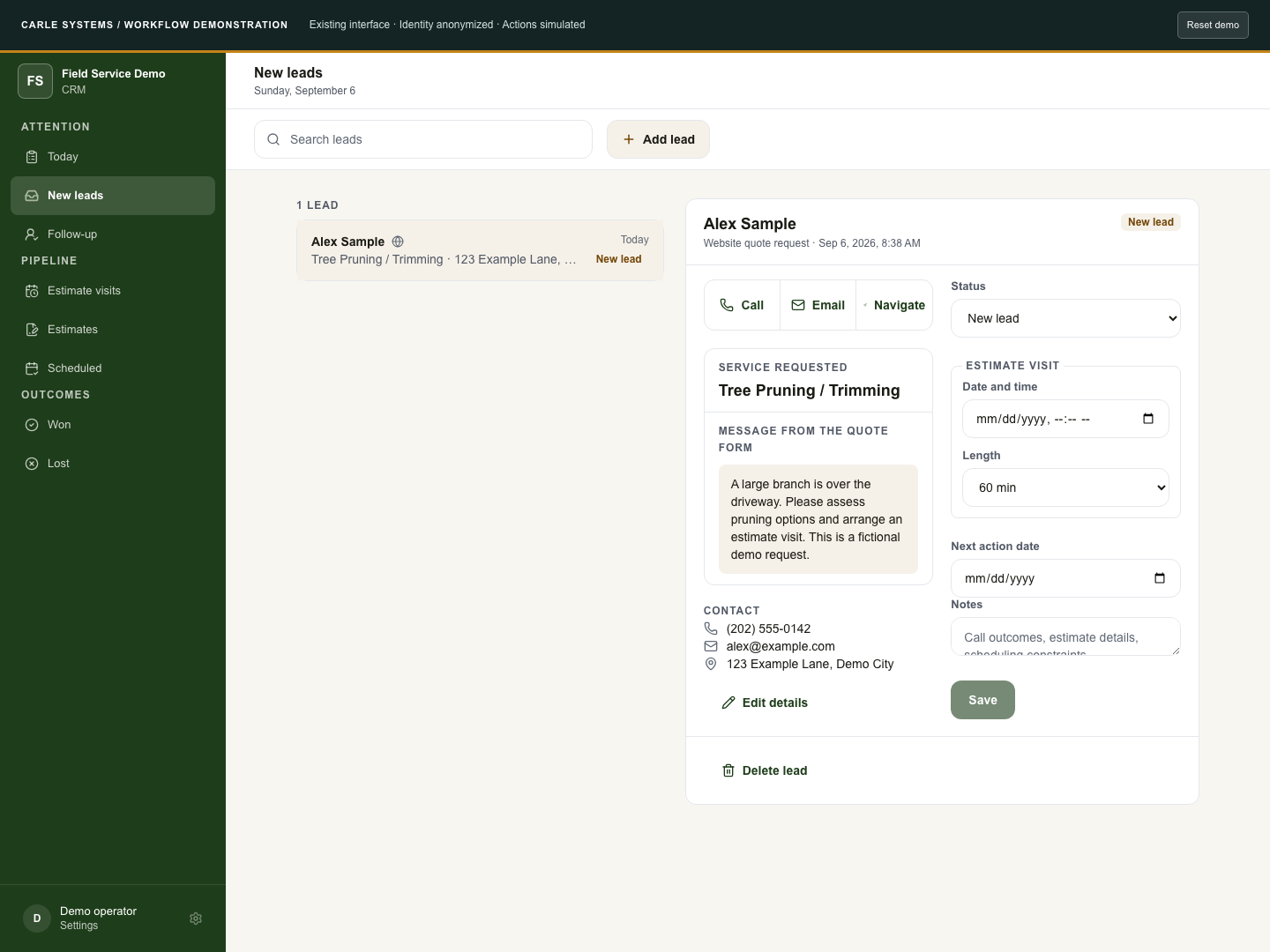
Fictional lead record in a field-service lead-tracking demonstration
Sample data shown.

Connected Website

When the front door needs work

A website that sends inquiries to the right person.

  • Clear service and location pages
  • A contact form tested end to end
  • Pages your team can update
  • Mobile and keyboard testing, search basics, and redirects
Good to know about Connected Website

A website that explains your services clearly and sends inquiries to the person who handles them.

The proposal lists subscriptions, who handles what at launch, how long I fix defects, and ongoing care options. Rankings and lead volume aren’t guaranteed.

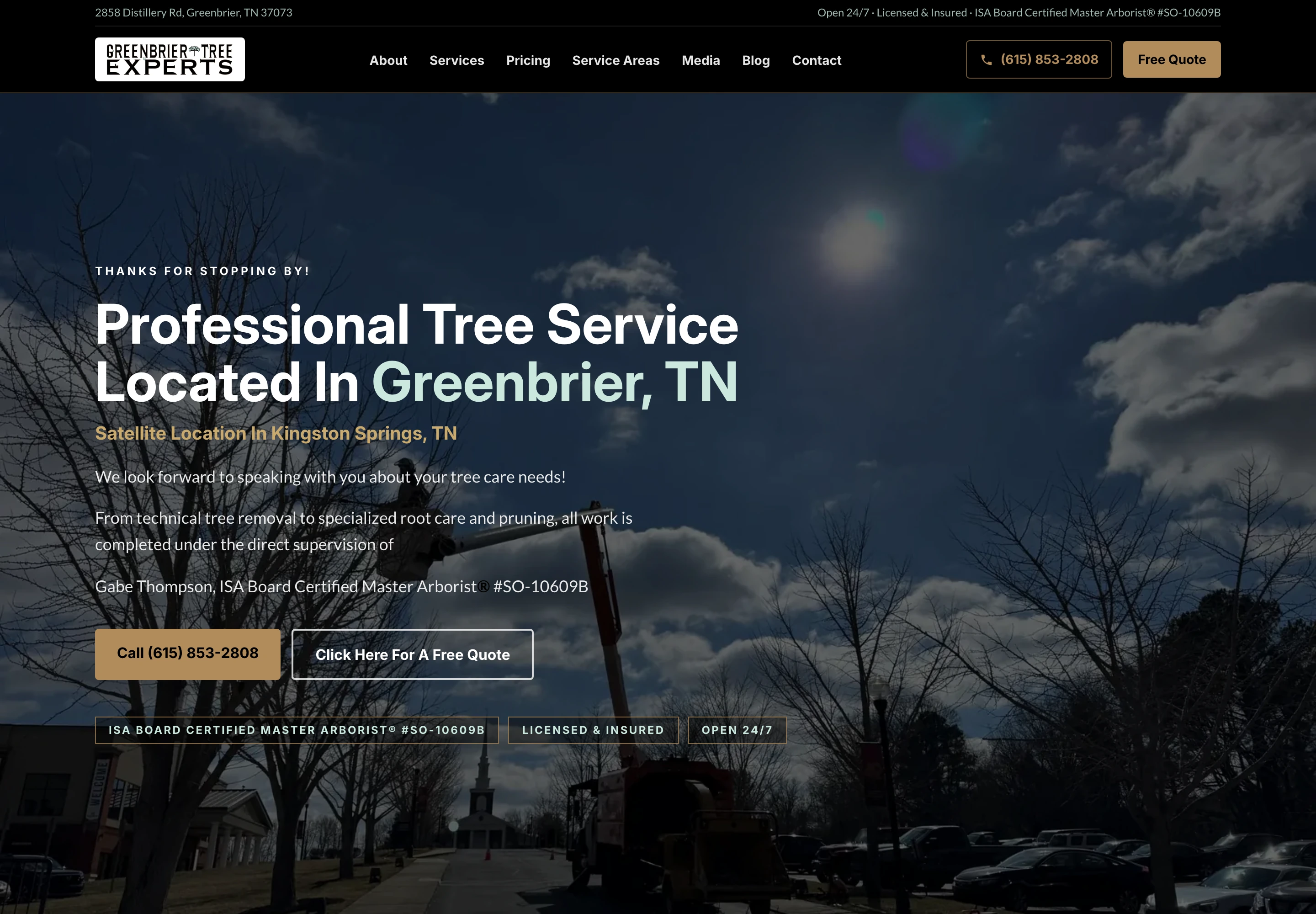
Greenbrier Tree Experts public website
Greenbrier Tree Experts

Before you hire me

Can we start with one problem?

Yes. One workflow is a good first project. Before starting, we agree what it should do, how we’ll test it, and what’s out of scope.

Will you recommend software we can already buy?

Yes. If an existing product does the job at a sensible long-term cost, I’ll tell you. I compare setting up what you have, connecting tools, and building custom before recommending anything.

Do we need a new website to improve our workflow?

No. I can start with the tools you already use. A new website only makes sense when it helps solve the problem.

What do you need from us?

Someone who owns the process, a few real examples, access to the systems involved, and timely feedback. Everything else is settled before work starts.

What happens if an integration fails?

Before building, we decide how a failure gets reported, which steps can retry on their own, and when a person needs to step in. Support coverage is written into the scope.

Do you use AI?

When it’s the right tool for a specific task. I test its inputs, limits, and failure cases first, and decisions that need judgment stay with people.

Who owns the finished system?

The proposal spells out ownership, licenses, account access, and handoff. You’ll know what you control, and what it takes to keep it running, before you commit.

Who actually does the work?

I do, from the first conversation through handoff. If a project needs a specialist, we discuss their role before they start.

Can you help after launch?

Yes. A Technical Partner retainer covers scheduled checks, fixes, and small improvements on the systems we name. We set the checks, schedule, and hours before it starts.

Not sure which one fits?

Tell me what’s going on and I’ll tell you where I’d start. I’ll reply by email.

Hunter CarleBentonville, Arkansas